

Tercio IMU
The Tercio IMU streams the attitude of your machine on the same bus as your motors: a quaternion, roll, pitch and yaw, acceleration and angular rate. It speaks protocol v2 like the Tercio S1, and Tercio Control finds it by itself.
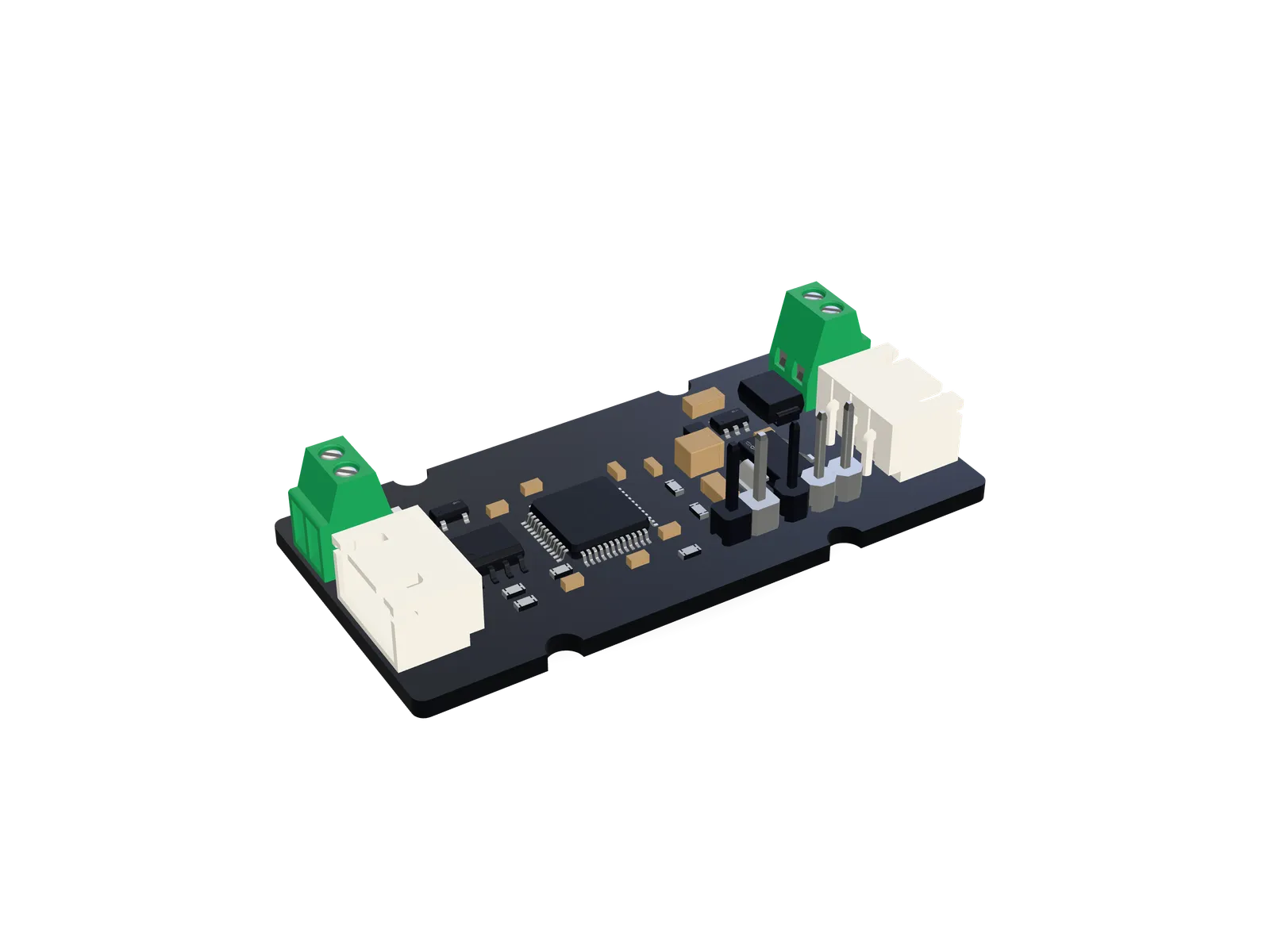
- Sensor
- Bosch BNO055, 9-axis with on-chip fusion
- Output
- Quaternion, roll / pitch / yaw, acceleration, rate
- Rate
- 100 Hz fusion, telemetry up to 100 Hz
- Bus
- CAN-FD, protocol v2, node 100 by default
- Processor
- STM32G431 at 170 MHz
- Board
- 25 × 51 mm
- 100Hz
- Sensor fusion
- 9axes
- Accel, gyro, magnetometer
- 62bytes
- One telemetry frame
- 100
- Default node ID
What it does
Section titled “What it does”How it works
Section titled “How it works”- 01SenseThe BNO055 fuses accelerometer, gyroscope and magnetometer on-chip, 100 times a second.
- 02ReadThe STM32 reads it over I²C every 10 ms, without ever blocking the CAN side.
- 03ZeroThe attitude is expressed relative to your zero: qref⁻¹ · q, then roll, pitch and yaw.
- 04StreamTelemetry goes out on 0x200 + node at your chosen rate; faults go out at once.
Fusion modes
Section titled “Fusion modes”Choose under Settings → Fusion mode in Tercio Control, or set parameter 0x70. The change applies at once; Save keeps it.
Calibration
Section titled “Calibration”The BNO055 calibrates itself while it moves, and reports how far it got: 0 to 3 for each sensor. The IMU is calibrated when the gyroscope and accelerometer reach 3 (in NDOF mode, the magnetometer and the system too).
- Gyroscope: keep the IMU still for a few seconds.
- Accelerometer: hold it still in six orientations, each face pointing up in turn, a few seconds each.
- Magnetometer (NDOF only): move it slowly in a figure of eight.
- Save: when the meters are full, select Save calibration in Tercio Control (
imu.save_calibration()in Python). The calibration goes to flash and is written back to the sensor at every power-up.
The Not calibrated warning stays on until calibration is complete. The sensor keeps refining a restored calibration as it moves.
Zeroing
Section titled “Zeroing”| Roll | Pitch | Yaw | Use it for | |
|---|---|---|---|---|
| Zero | 0 | 0 | 0 | A machine whose rest position is not level: its own rest attitude becomes zero. |
| Zero heading | stays | stays | 0 | Keep roll and pitch referenced to gravity, but point yaw where your machine faces. |
| Clear zero | sensor | sensor | sensor | Back to the sensor’s own reference. |
A zero applies at once. Save keeps it after a power cycle, like every setting.
Mounting
Section titled “Mounting”The sensor chip sits on the underside of the board. If the axes do not match your machine, choose the matching BNO055 placement P0–P7 under Settings → Mounting (parameter 0x71). P1 is the sensor’s default. Then zero in the machine’s rest position.
Acceleration and angular rate are reported in the sensor’s axes, after that mapping. Acceleration includes gravity: lying still and level, about 9.81 m/s² on one axis.
In Tercio Control
Section titled “In Tercio Control”The IMU appears under Sensors in the side bar and on the bus overview. Its page has:
In code
Section titled “In code”from TercioBridge import Bus, Imu, FusionMode
with Bus("COM5") as bus: imu = Imu(bus) # node 100 imu.wait_calibrated() # blocks until the sensor is calibrated imu.save_calibration() # restored at every power-up imu.zero_heading() # yaw 0 here, roll and pitch stay level-referenced imu.save() # keep the zero
t = imu.telemetry print(f"roll {t.roll:.1f}° pitch {t.pitch:.1f}° yaw {t.yaw:.1f}°") print(t.quaternion, t.acceleration, t.rate, t.calibration)The Arduino library has the same in C++: Tercio::Imu imu(bus); imu.zero(); imu.telemetry(t);. See Python and Arduino.
Specifications
Section titled “Specifications”Sensing
- Sensor
- Bosch BNO055: accelerometer, gyroscope, magnetometer, on-chip fusion
- Fusion rate
- 100 Hz
- Modes
- IMU (no magnetometer) or NDOF (absolute heading)
- Mounting
- Axis mapping P0–P7
- Board temperature
- NTC on the board, in telemetry
Bus
- Bus
- CAN-FD, 500 kbit/s + 2.5 Mbit/s, protocol v2
- Node ID
- 1–127, 100 by default
- Telemetry
- 0–100 Hz, 50 Hz by default
- Data
- Quaternion, roll / pitch / yaw, acceleration, rate, calibration, temperature
Hardware
- Processor
- STM32G431, Cortex-M4F at 170 MHz
- Board
- 25 × 51 mm
- Connectors
- JST XH 3-pin and a 2-pin screw terminal at each end
Firmware
- Source
- Kerol-Dev/Tercio-imu, PlatformIO
- Updates
- Over SWD with an ST-Link
- Version
- 2.0.0 (protocol v2)
The frames, commands and parameters are in IMU protocol.